Every chair, every booking, live on one floor plan
See who is in which chair right now, book without clashes, check out with tips for each technician, and see which customers come back. One system that carries your salon's brand.
Get in touch to discuss
Built for salons that have outgrown the booking notebook
Several branches
- One customer list across every branch
- A floor plan and a schedule per branch
- Numbers per branch or all together
A full service menu
- Nails, pedicure, facials, massage
- A price and a length for each service
- Retail products sold on the same bill
Which step costs your team the most? Start there.
Rate each step. The ones that hurt most go first in your rollout.
Bring your ratings to the workshop. They set the order of the rollout.
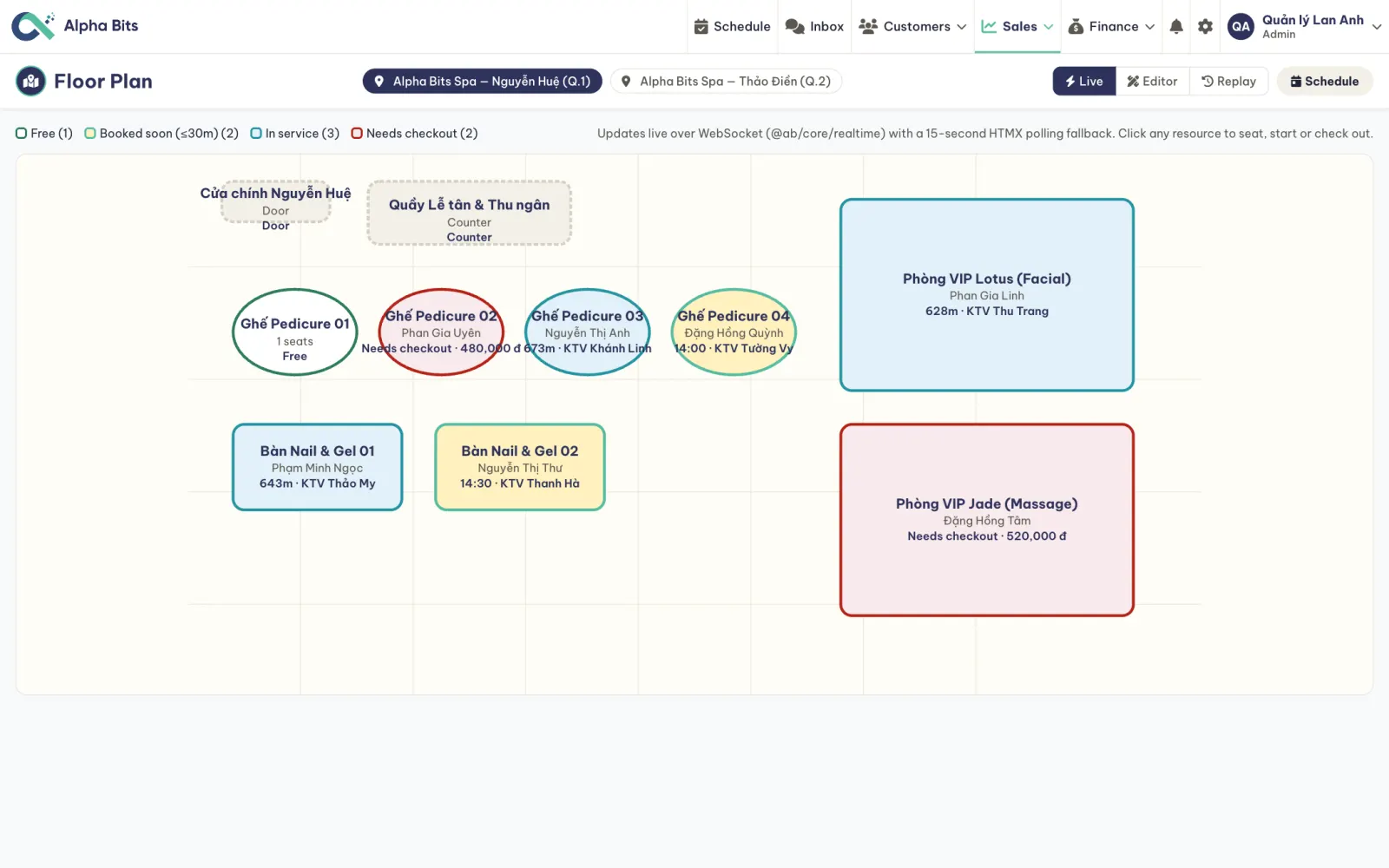
The whole salon on one live map
- Free
Ready for the next walk-in
- Booked soon
An appointment starts within 30 minutes
- In service
Customer, technician and finish time on the chair
- Needs checkout
Done, with the amount waiting to be paid
- Live
Changes as it happens, on every screen; tap a chair to seat, start or check out
- Editor
Draw your own chairs, tables, rooms, door and counter
- Replay
Scrub through a day and watch each visit go from door to chair to checkout
- Per branch
One plan for each location, a tap to switch
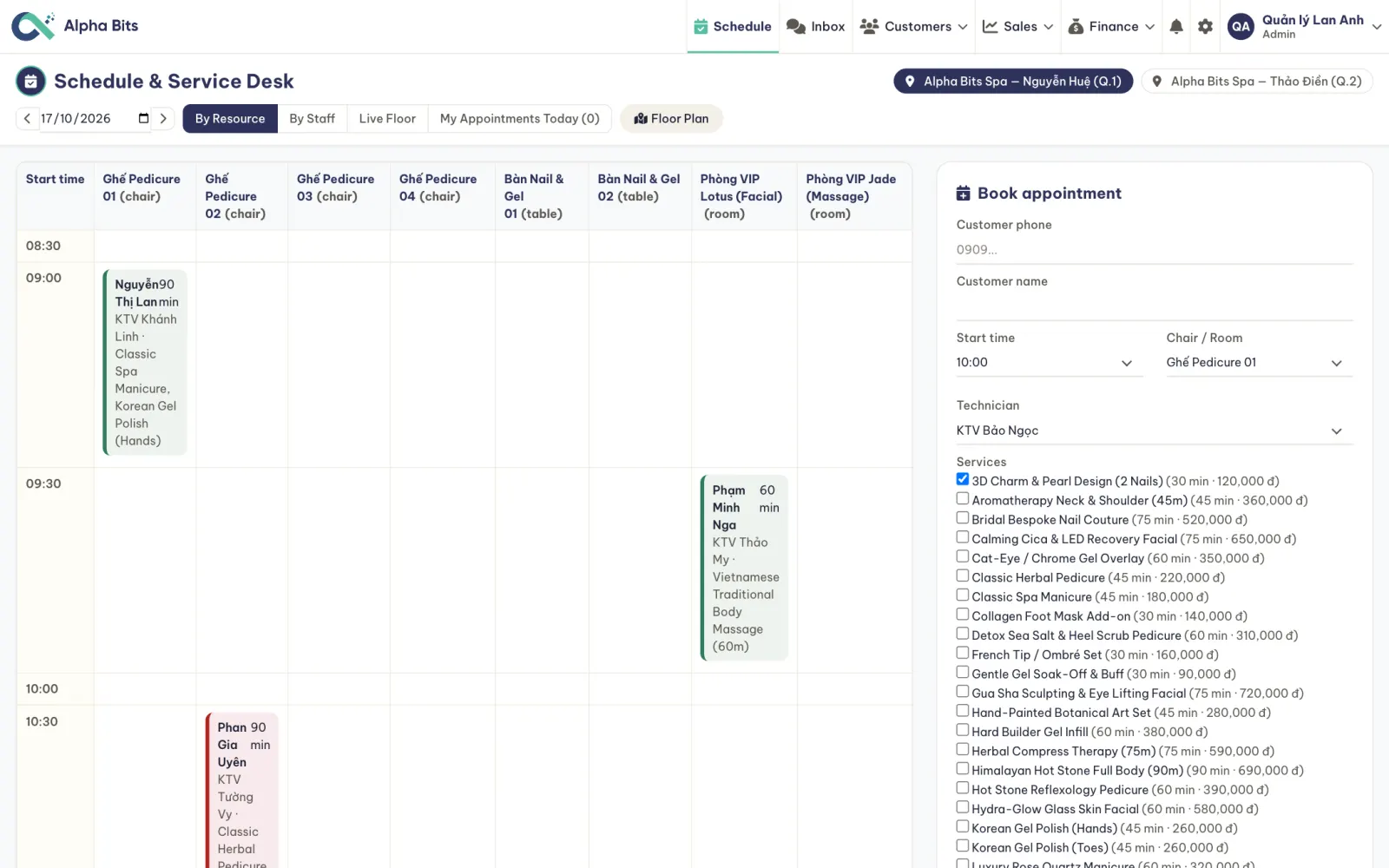
Chairs and rooms against the clock, bookings that never clash
- By resource or by technician
The day per chair and room, or per member of staff
- Book in seconds
Phone number, services, technician, start time
- No double booking
A chair or a technician can't be booked twice for the same time
- Moves and no-shows
Reschedule, mark arrived, no-show or cancelled
From booked to paid, every step on record
- 01Booked
From the schedule, a call or a chat
- 02Arrived, in service
One tap when the customer sits down
- 03Done
The chair turns to needs checkout
- 04Paid
A sale with a line per technician, tips included
Zalo, Facebook, web chat: one shared inbox
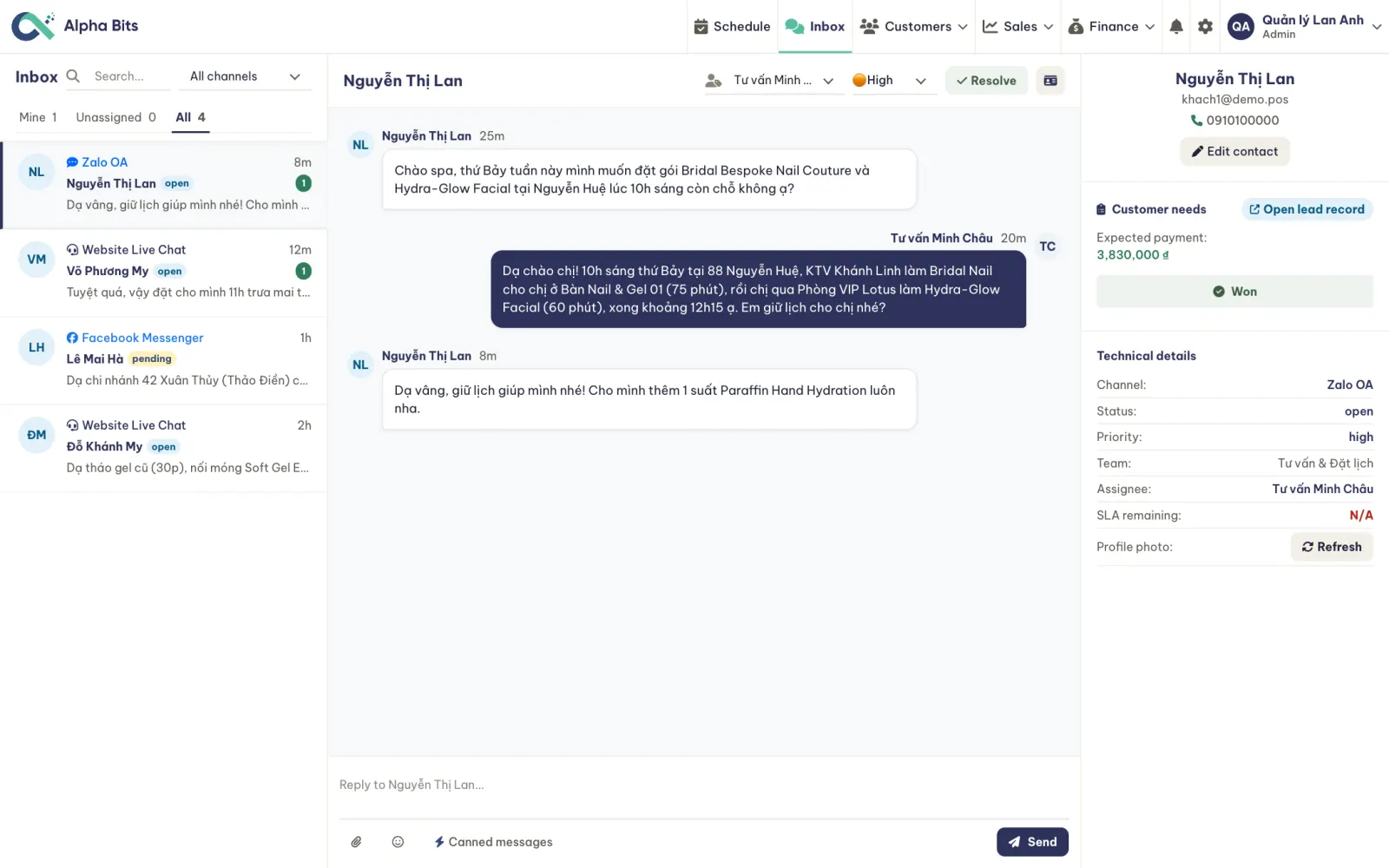
- Every channel in one place
Zalo OA, Messenger, Telegram and chat on your website
- Saved replies
Prices, opening hours and free slots without retyping them
- One click to a lead
Note the service they want and when
- Clear ownership
Who answers, how urgent it is, when the reply is due
Every enquiry has an owner, no booking left hanging
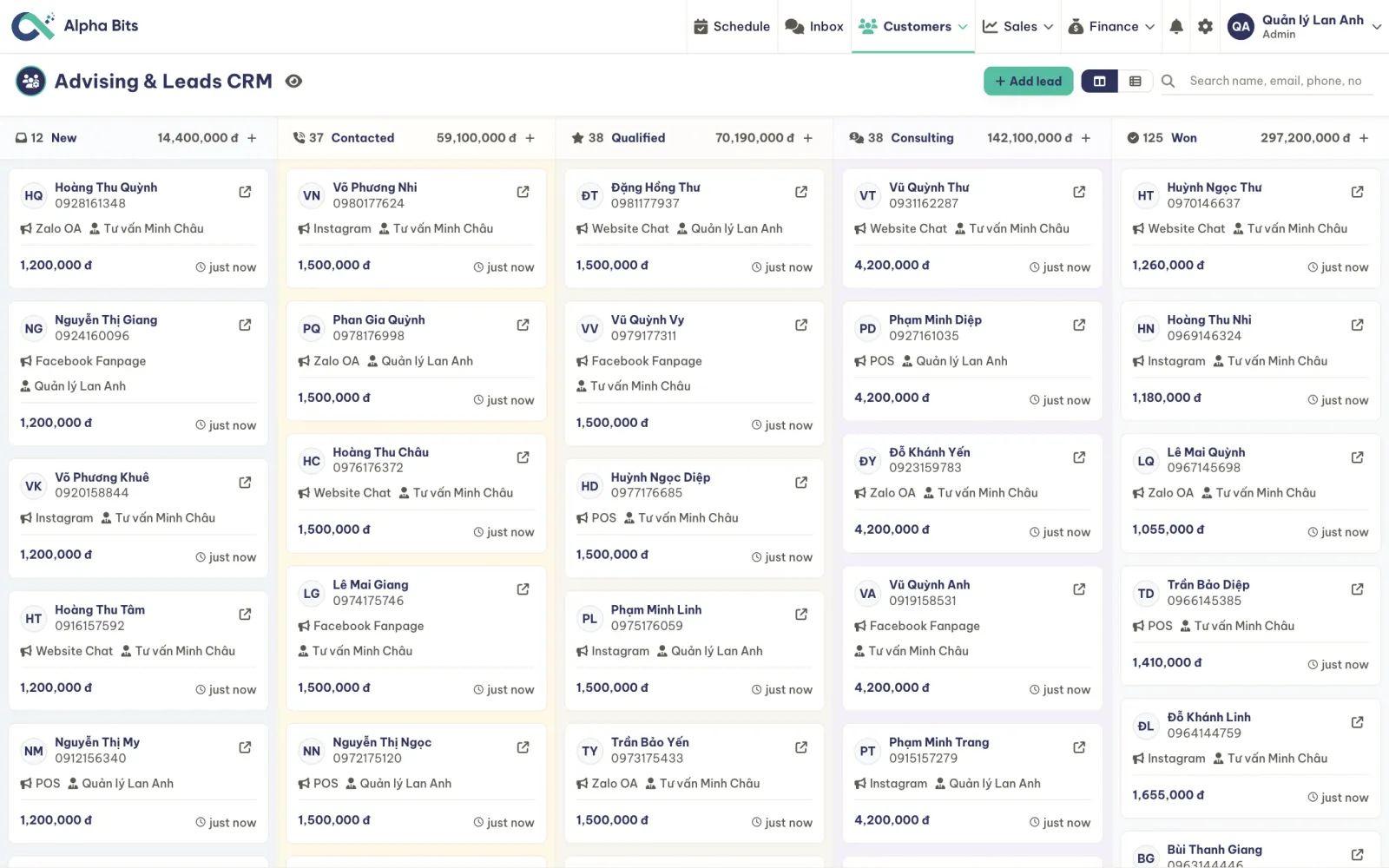
- Clear stages
New, contacted, qualified, consulting, won
- Know where they come from
Zalo OA, Instagram, Facebook, website chat, walk-ins
- See revenue coming
Expected value for each column
See who comes back and who is overdue a visit
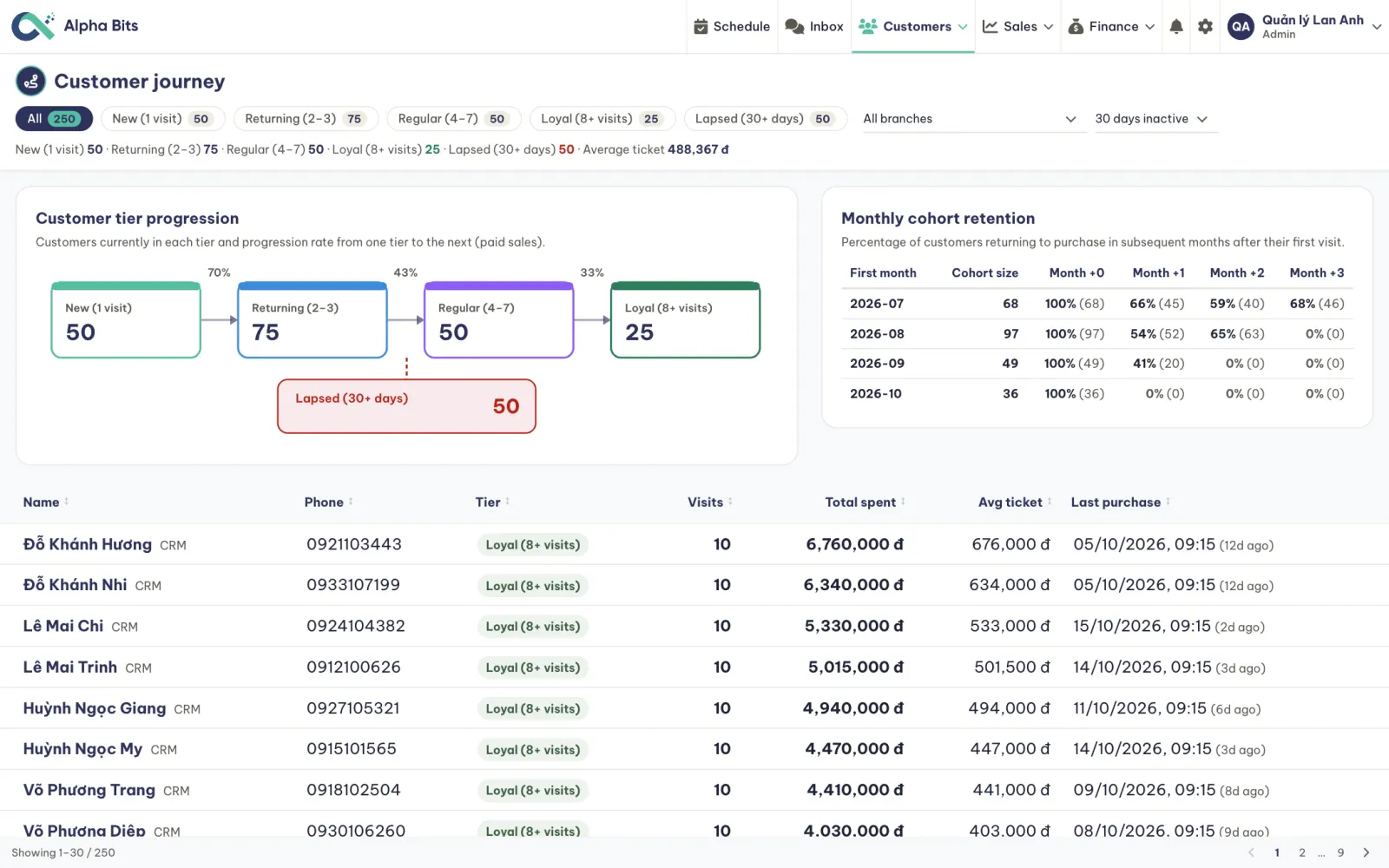
- Five tiers, one flow
How many go from a first visit to returning, regular and loyal, and the share that makes each step
- Monthly cohorts
Of the customers who first came in a month, how many came back in each month after
- The lapsed list
Who hasn't been back in 30 days, when a fill is usually due every three or four weeks
- Win them back
A group email to one tier at one branch
Your service menu, prices and promotions in one place
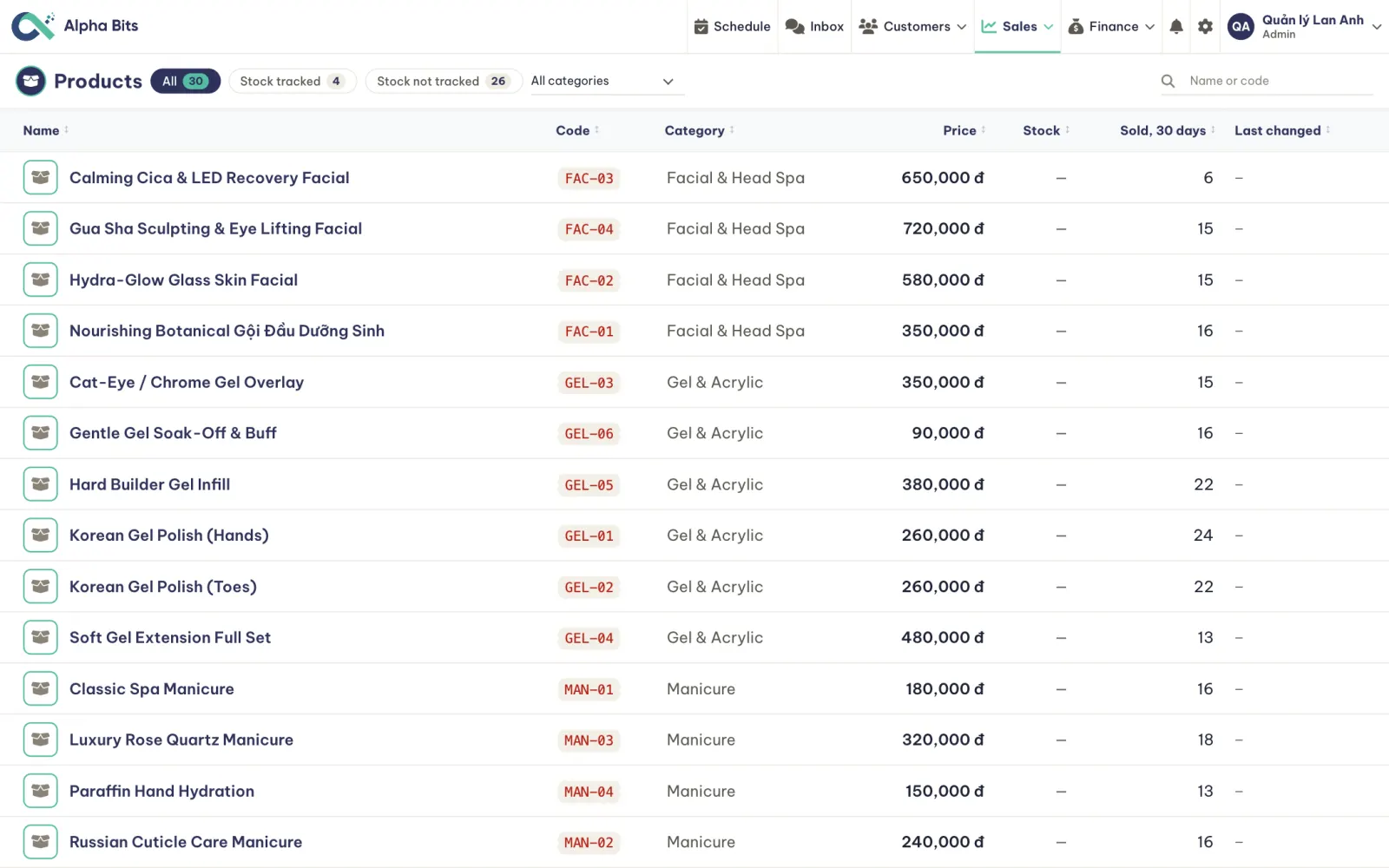
Name, price and length, by category
Oils, polish and care kits on the same bill
A discount for a time window, applied at checkout
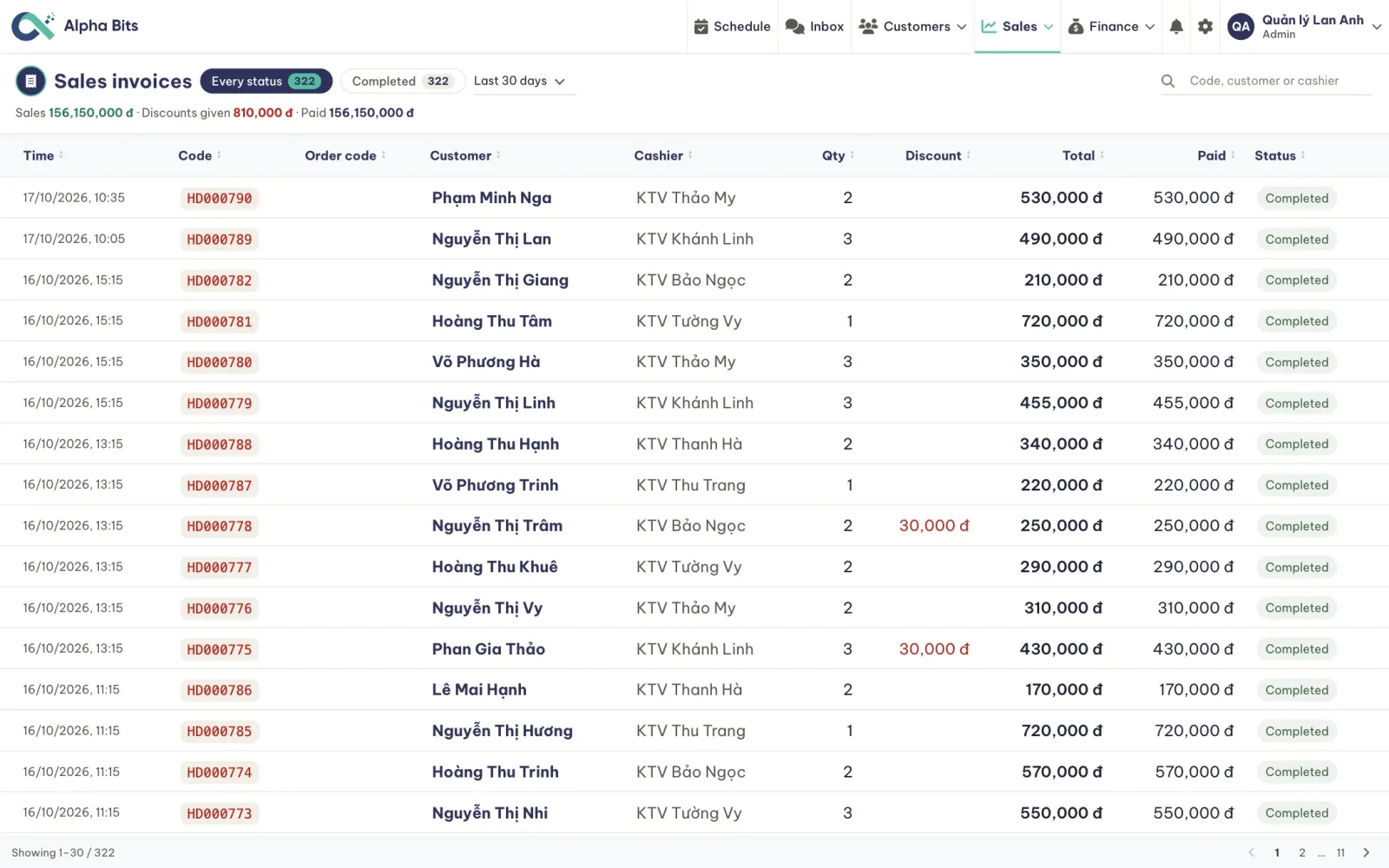
Discount given, invoice by invoice
Owners see the numbers, technicians see their own day
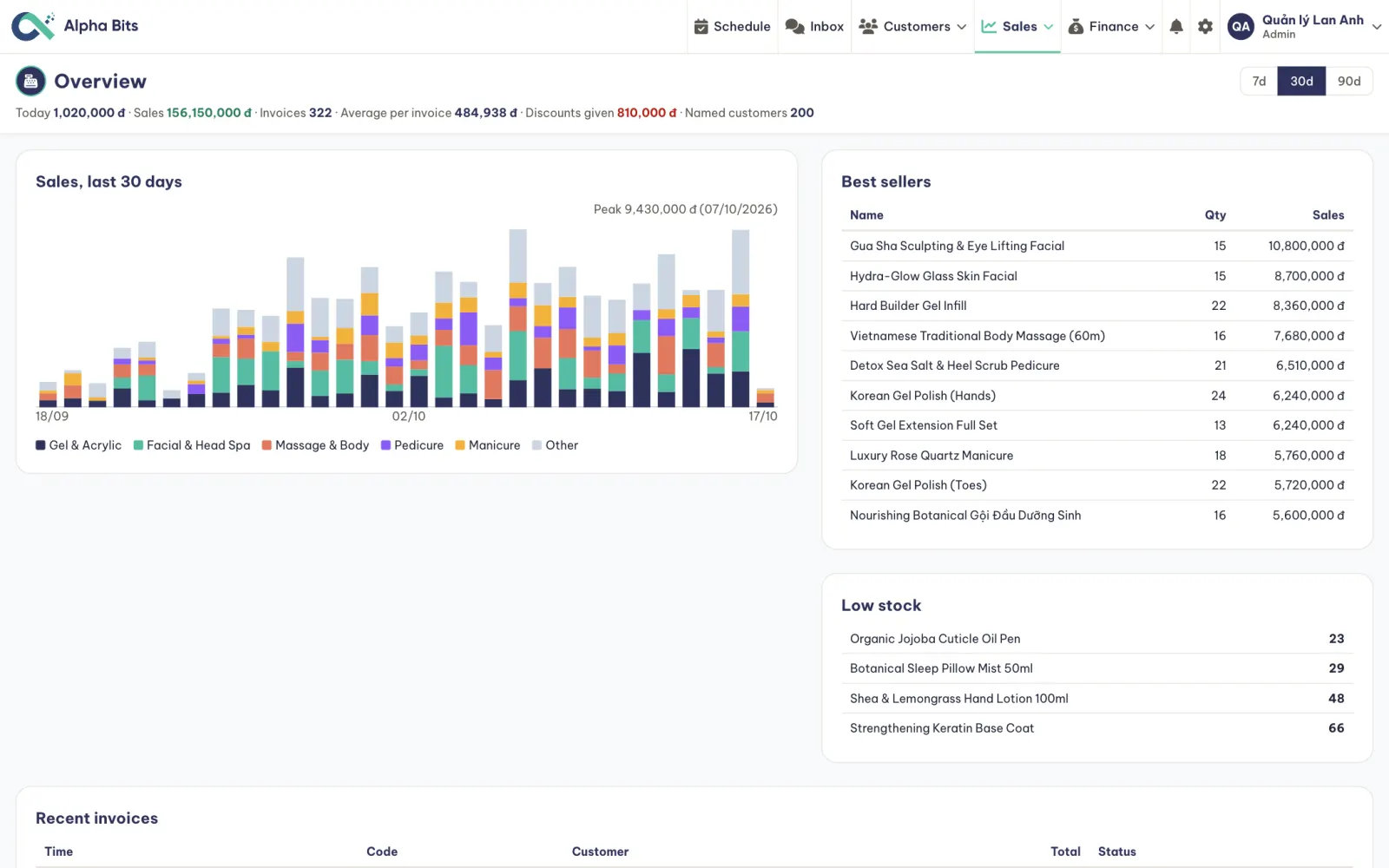
Revenue by service category, best sellers and low stock, over 7, 30 or 90 days
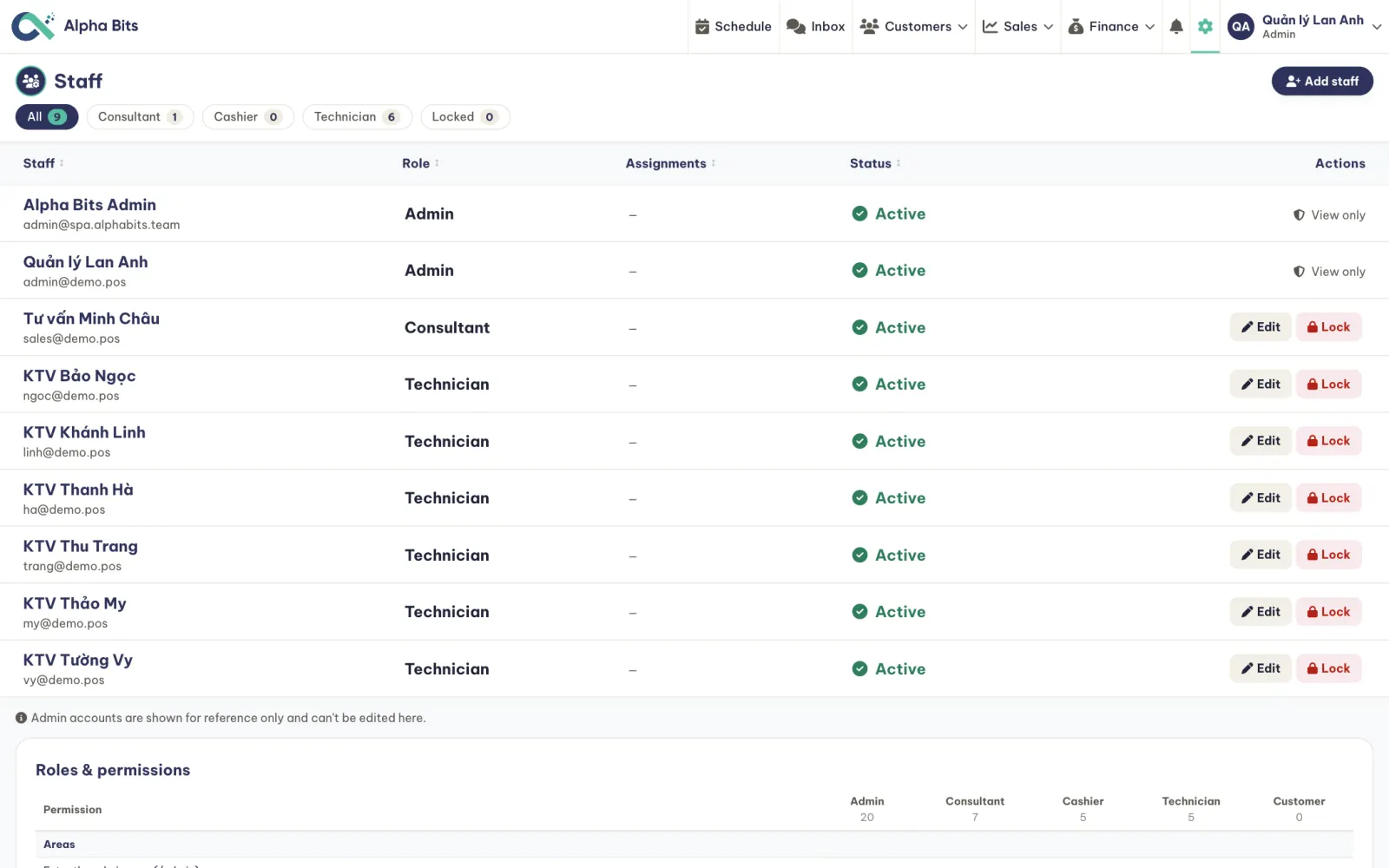
Admin, consultant, cashier and technician; technicians see their own appointments
What's ready today, what we build for your salon
- Schedule by chair, room and technician
- Live floor plan, editor and replay
- Checkout with staff lines and tips
- Customer tiers and monthly cohorts
- Multi-channel inbox
- Enquiry pipeline and automations
- Promotions and discount report
- Roles and permissions
- Your services, prices and lengths
- Your branches, floor plans and staff
- Saved replies and message templates
- Your promotions
- Your domain and brand
Done with your team during the rollout.
- Online booking for customers
- Zalo ZNS booking reminders
- Technician commission rules
- Prepaid packages and memberships
- Loyalty points
- E-invoices
The last column is an example. Your answers to the survey decide what goes in it.
Your system, your data
- Your domain and brand
Staff and customers see your salon, never the vendor
- 100% of the data is yours
It runs on your own cloud and you keep full control
- No per-chair fees
A fixed software cost, however many chairs and branches you add
- 400+ automated tests
They ship with the system and keep it stable as features are added
One step at a time, starting where it hurts most
Schedule and floor
- Services, branches, staff
- Schedule and floor plan
- Checkout with tips
Customers and messages
- Inbox and enquiry pipeline
- Tiers and monthly cohorts
- Promotions
Whatever your salon needs
- Online booking, Zalo ZNS reminders
- Commission rules, packages
- E-invoices
The order of the phases follows the ratings from your self-check.
Clear costs, starting with a survey
Service menu and data import, floor plans, training your team
Fixed, never charged per chair or per booking
Per item, agreed after the workshop
A detailed quote follows once the first phase is agreed.
Get in touch to discuss
Alpha Bits Spa · pos-service.alphabits.team · Made by Alpha Bits